Getting Started with P1
In this guide, we’ll walk through creating a brand new P1 site on Pantheon. Follow this guide in order:
Set up a Pantheon Content Account
- 1
Sign up for a P1 account at https://content.pantheon.io. (Get in touch with us; at this time, it is a private release, and we will need to manually provision access for you).
Create a Next.js Site With Our Starter Kit
Before you start, you need:
- Node.js 24 or newer
- pnpm, npm, or yarn
- git, if you want the scaffolder to create a repository with an initial commit
- 1
On your local environment, initialize a site using our SDK starter:
$pnpm create @pantheon-systems/p1-starter-kit - 2
Answer the option questions from the CLI. For these instructions, choose
pnpmif you have it installed. - 3
Ensure
pnpm install(ornpm install) executes locally - 4
Commit and push to your GitHub repository
Create a P1 site in the Content Dashboard
- 1
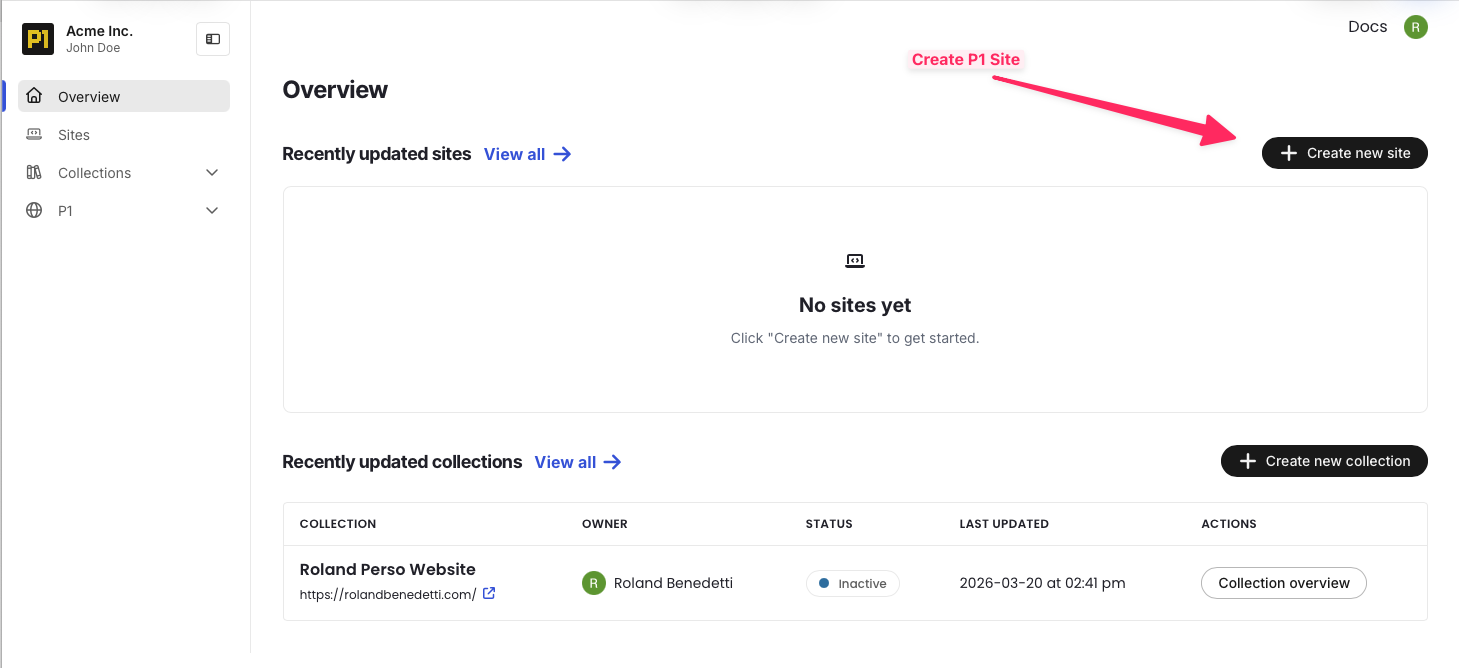
Create your site in P1 dashboard (https://content.pantheon.io)
- 2
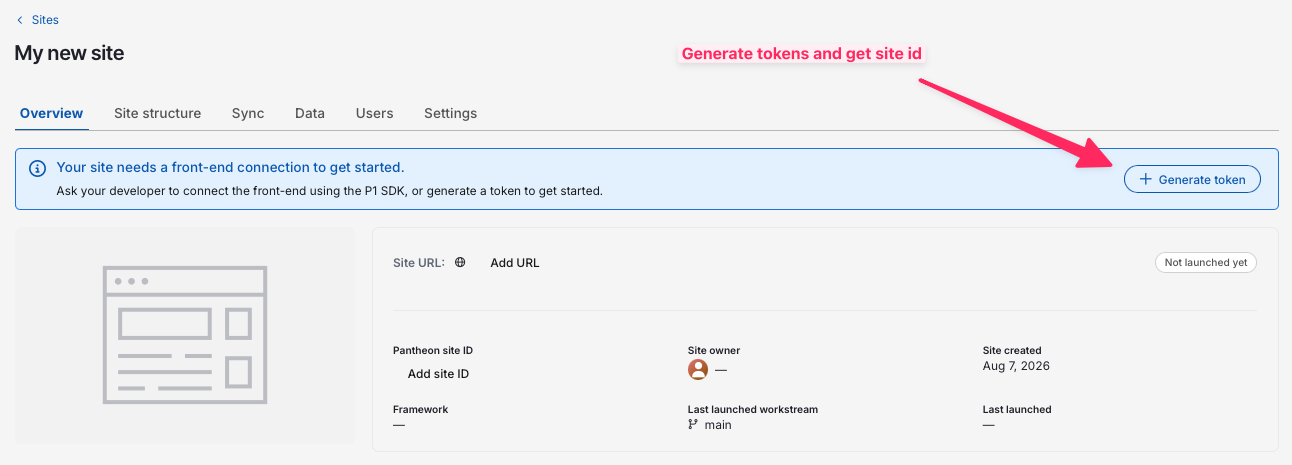
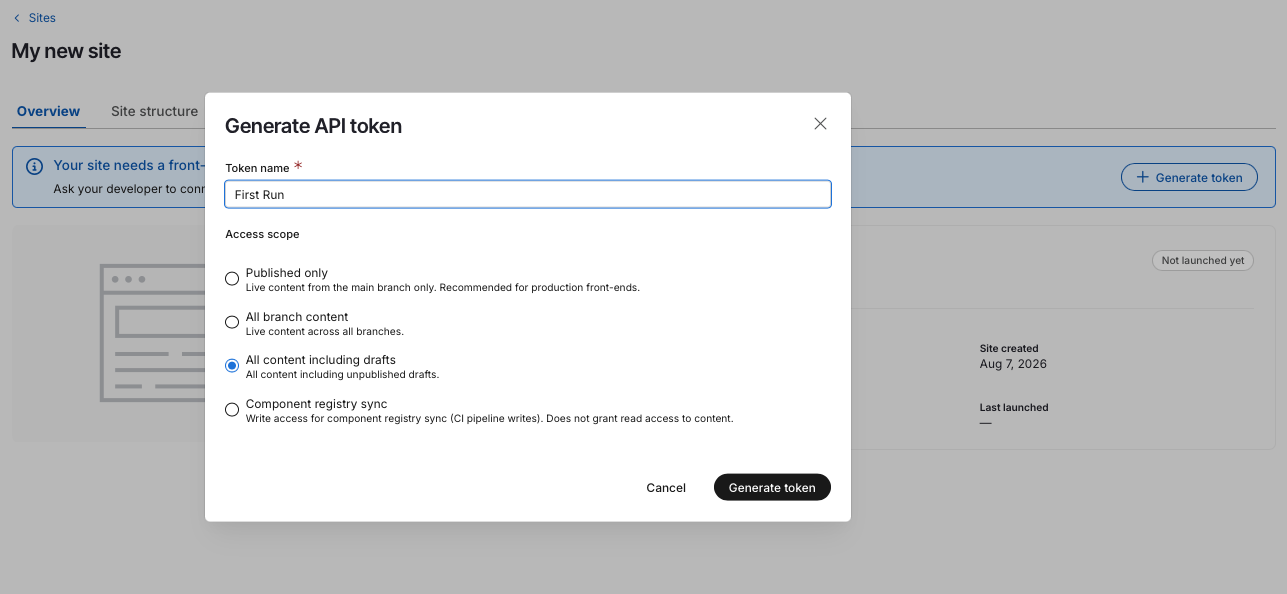
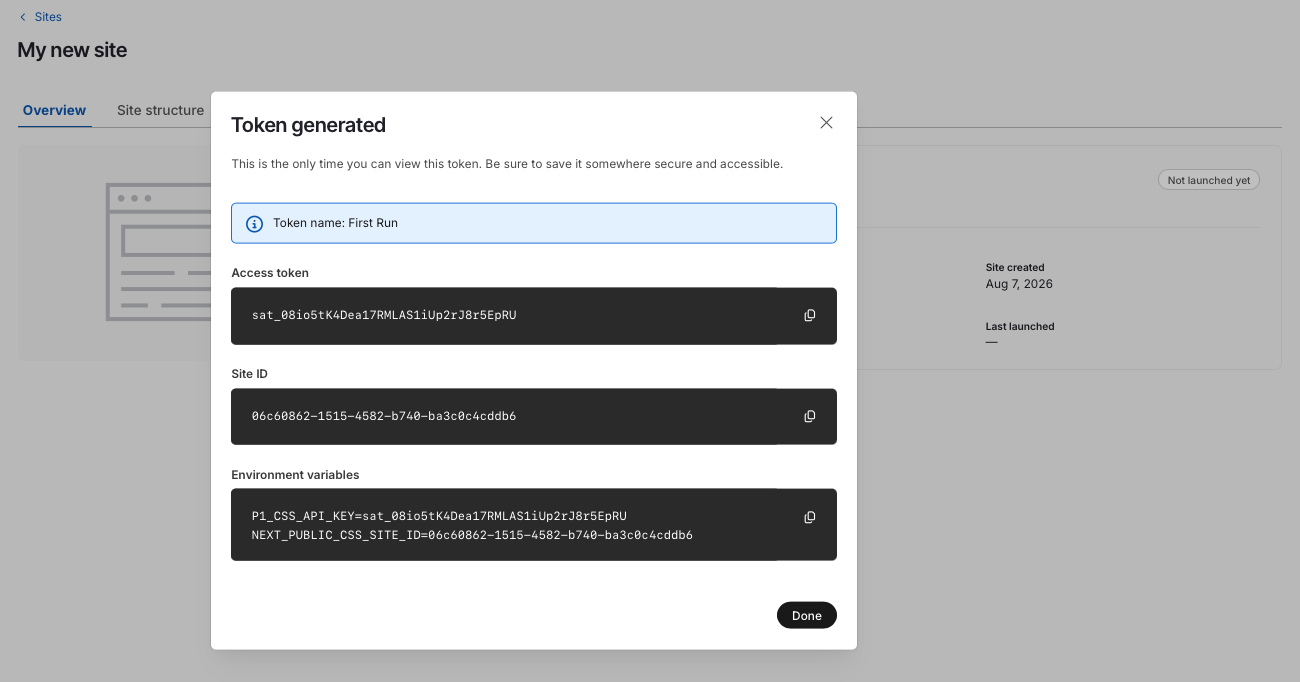
Once the P1 content site is created, generate a token and get your ID
- 3
The token will only be shown once; save it to personal secrets or in a secure temporary place, or keep the modal open
Set Next.js Site Secrets
- 1
Set these secrets on your Pantheon Next.js site. Your localhost .env can omit the “P1_SITE_URL” (which serves as a redirect location after authentication)
NEXT_PUBLIC_CSS_SITE_ID=your-site-id-from-popup-aboveCSS_API_KEY=your-token-from-popup-aboveP1_SITE_URL=your-site-url-once-you-have-it-you-can-start-without-for-local-development - 2
Check that the site is executing well on localhost by running
pnpm run dev - 3
In particular, test connectivity with the P1 back end by visiting the editor page, appending /p1 to your site URL
Deploy to a Dev Site on Pantheon.io
- 1
Push the codebase of your site created above to a GitHub repository
- 2
Go to Pantheon.io dashboard to create your hosted Next.js site
- 3
Create a Next.js site
- 4
When creating that site, choose “from an existing repository” and pick the repository created above
- 5
When asked for secrets, paste the secrets above. For
P1_SITE_URL, the url should be https://dev-yoursitename.pantheonsite.io - 6
Deploy
At this stage, you should be able to test end-to-end P1 with a hosted site on Pantheon.
From there, you can deploy to a test or live environment if you wish, following our Next.js documentation. A live environment is required for any production use, especially to set your own domain name.